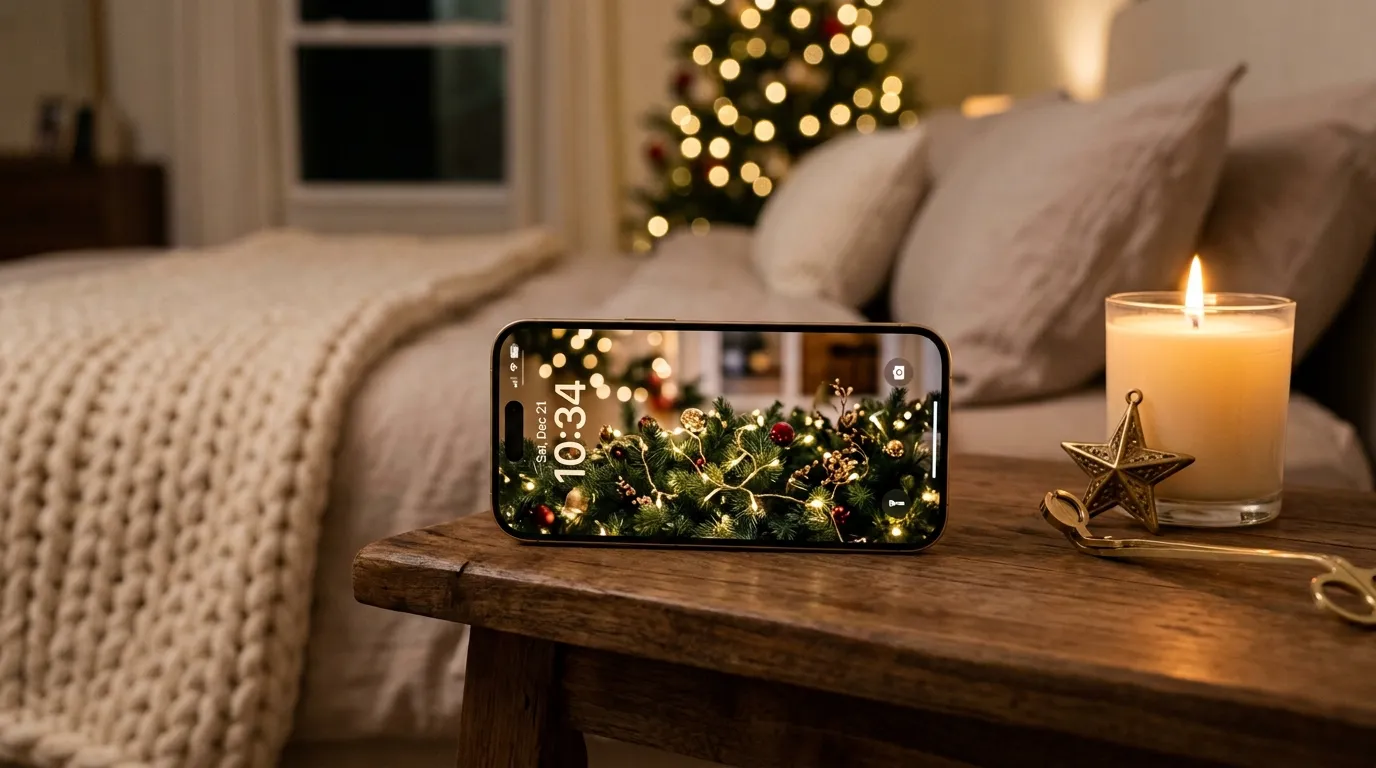
Your iPhone can feel festive too—no wrapping paper required. ✨ A beautiful Christmas iPhone wallpapers collection can turn an everyday screen into a tiny holiday escape.
Whether you love cozy reds, snowy scenes, sparkling lights, or simple winter designs, the right wallpaper adds instant seasonal personality without changing anything else on your phone. This collection brings together 22 festive ideas to help you find a look that matches your holiday style. In my experience, small visual touches can make everyday routines feel more special, especially during busy December days. From elegant and minimal to playful and cozy, these ideas make it easy to refresh your lock screen and home screen for the season.
1. Cozy Santa Knit
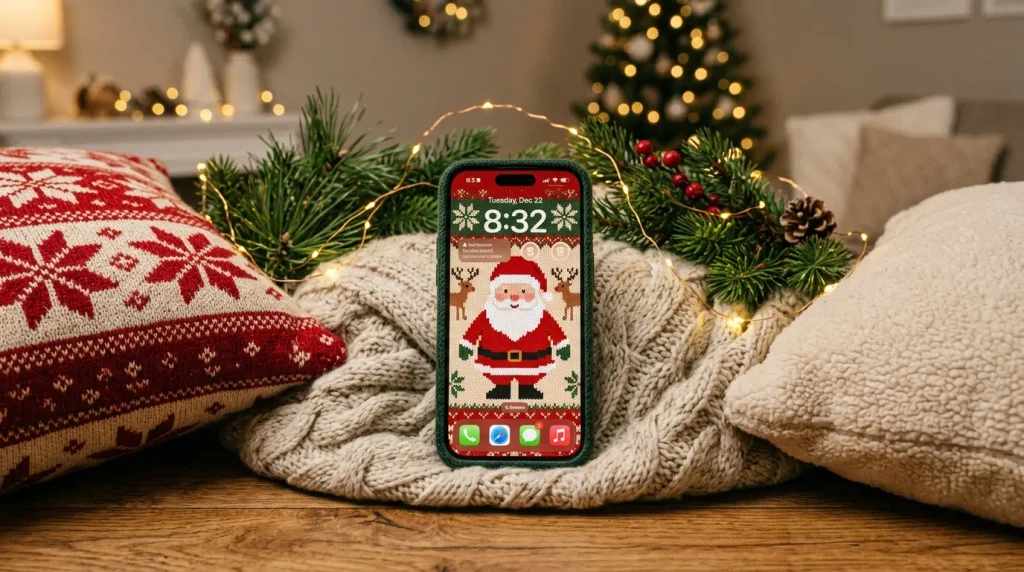
- A knitted texture makes the screen feel warm and cozy.
- Red and cream tones create a classic holiday palette.
- Tiny festive details add charm without making the design feel busy.
- This look works beautifully with neutral phone cases.
A cozy Santa knit design gives your iPhone that warm, handmade Christmas feeling instantly. The combination of soft cream, traditional red, and subtle knitted patterns feels familiar without becoming overly bright. I’ve noticed that textured holiday designs often look especially inviting because they create visual warmth even on a small screen. Choose a wallpaper with a simple Santa motif, snowflake details, or tiny stitched trees. It pairs nicely with a clear, cream, red, or soft brown case, making the entire phone feel coordinated and ready for holiday gatherings, coffee dates, and quiet winter mornings.
The best part of this festive screen idea is how easily it fits into everyday life. Instead of using a highly detailed image that makes app icons difficult to read, choose a pattern with open space around the clock and widgets. That small adjustment keeps the lock screen practical while preserving its Christmas character. A warm knit effect also looks lovely against dark mode because the lighter stitches stand out clearly. For anyone searching for Christmas iPhone wallpapers with a cozy, handmade aesthetic, this option brings seasonal personality while remaining soft, comfortable, and easy to live with throughout December.
Also Read : 23 Christmas Decor Ideas for Living Room: Cozy & Chic
2. Frosted Candy Canes
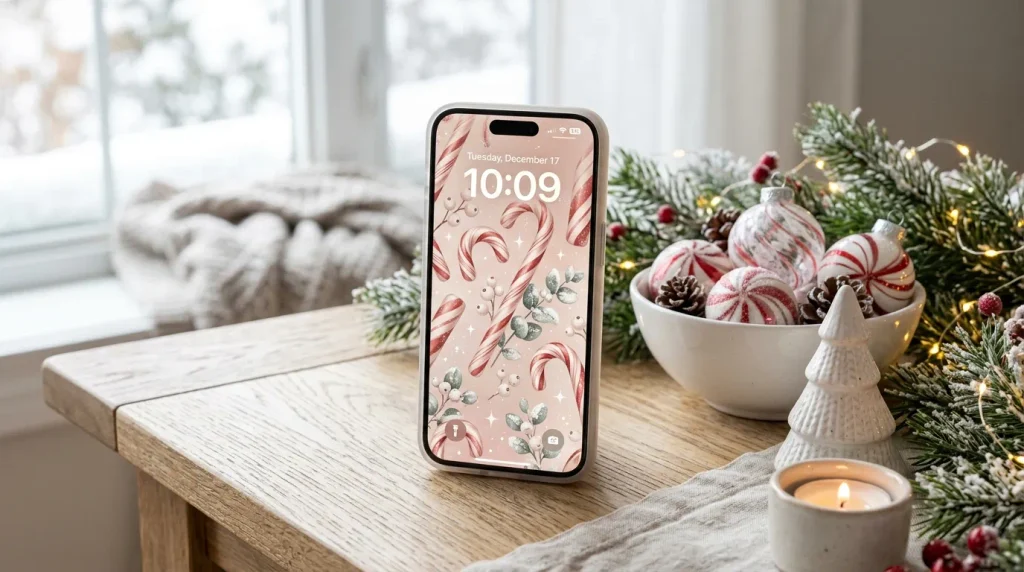
- Red-and-white stripes instantly create a recognizable Christmas look.
- Frosted details make the design feel softer and more polished.
- Pale backgrounds keep icons and widgets easy to see.
- A pastel version works well for a less traditional holiday style.
Nothing says playful Christmas quite like candy canes, especially when they are softened with frosty textures and delicate pastel tones. This wallpaper idea combines familiar peppermint stripes with snowy highlights, creating a cheerful screen that feels festive without looking childish. I’ve seen this style work particularly well for people who enjoy colorful holiday décor but prefer a cleaner phone aesthetic. Look for a design with plenty of white space, thin candy cane details, and gentle shadows. The result feels bright and refreshing, while the limited color palette keeps your lock screen visually organized.
A frosted peppermint pattern can also make your home screen feel lighter during the darker winter months. Choose a pale background so app icons remain readable, then let the red accents provide just enough contrast. If you use widgets, position them over the simplest area of the image rather than covering the candy cane details. This approach keeps the wallpaper decorative while still functional. For a coordinated holiday setup, match the screen with a white or translucent case and a few red accessories. The finished look feels crisp, cheerful, and perfectly suited to December.
Also Read : 25 Christmas Mantel Ideas to Make Your Home Glow
3. Golden Christmas Lights
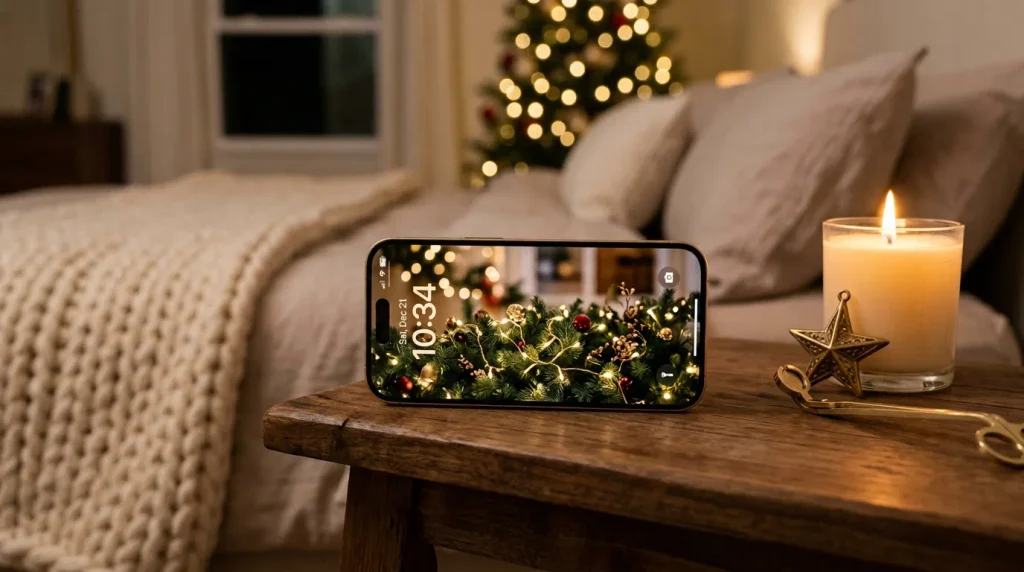
- Warm golden lights create an elegant glow on the screen.
- Deep green backgrounds make bright bulbs stand out beautifully.
- Soft bokeh keeps the design sophisticated rather than cluttered.
- This style pairs especially well with dark or neutral phone cases.
Golden lights create one of the easiest ways to make a phone screen feel instantly festive and sophisticated. Instead of filling the design with ornaments, use warm glowing bulbs against a deep green, charcoal, or softly blurred background. The contrast makes each light appear brighter while leaving enough empty space for the clock and widgets. In my experience, simple light-focused designs are especially versatile because they suit both casual and elegant holiday styles. They can feel cozy at home, polished at work, and festive enough for evening celebrations without needing bold graphics.
For the most practical result, choose warm-white or champagne-colored lights instead of extremely bright yellow tones. A subtle bokeh effect can add depth while keeping the background calm behind your apps. If your phone uses dark mode, an evergreen or charcoal wallpaper will make the glowing bulbs look especially striking. Add a neutral case in cream, black, brown, or clear to keep the overall look balanced. Among Christmas iPhone wallpapers, this design is a strong choice when you want holiday sparkle that feels refined, cozy, and easy to use every day.
Also Read : 21 Amazon Christmas Decor Ideas for a Festive Home
4. Snowy Gingerbread House
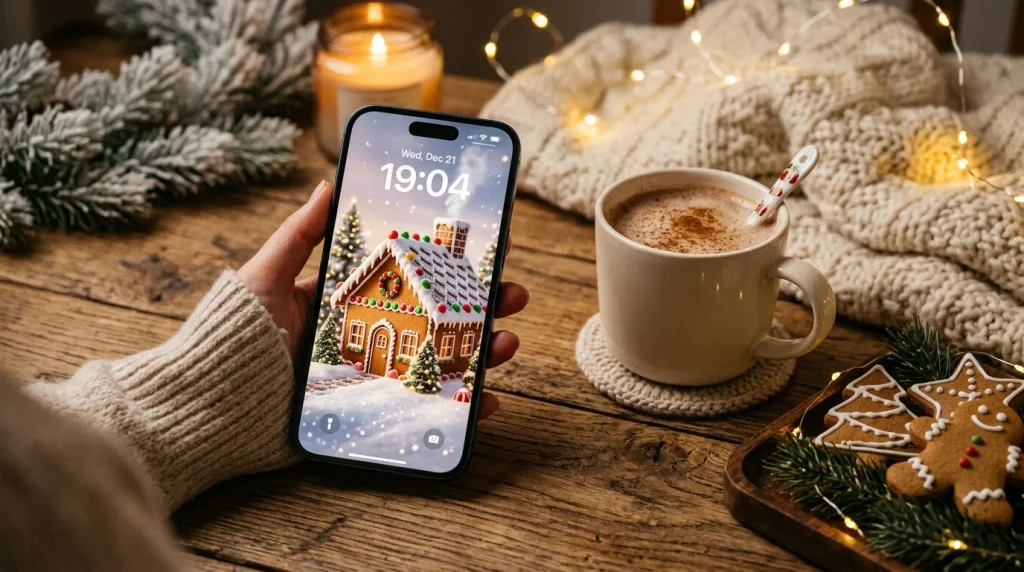
- Icing details make the design feel sweet and handcrafted.
- Snowy accents add a soft winter atmosphere.
- Warm brown tones create a cozy alternative to traditional red.
- Small candy details give the screen playful personality.
A tiny gingerbread house can turn your phone screen into a miniature Christmas scene. Look for warm caramel, cinnamon, cream, and soft red shades, with snowy icing around the roof and windows. This palette feels cozy without relying entirely on traditional holiday colors. I’ve noticed that gingerbread-inspired designs work especially well when the background remains uncluttered, because the little house becomes the visual focus. A few evergreen branches, candy accents, or falling snow can add enough detail to make the image interesting while still leaving clear space for the time and notifications.
This idea is especially lovely for anyone who enjoys baking, cottage-style décor, or nostalgic Christmas details. For a practical lock screen, place the gingerbread house slightly below the center so the clock remains readable above it. On the home screen, a quieter version with fewer details can prevent app icons from becoming difficult to see. Pair the wallpaper with a warm beige, brown, or clear case for a coordinated finish. The result is cheerful and inviting, giving your everyday phone a little holiday personality without making the design feel overly complicated or crowded.
Also Read : 25 Neutral Christmas Decor Ideas for a Calm Elegant Home
5. Minimal Christmas Trees
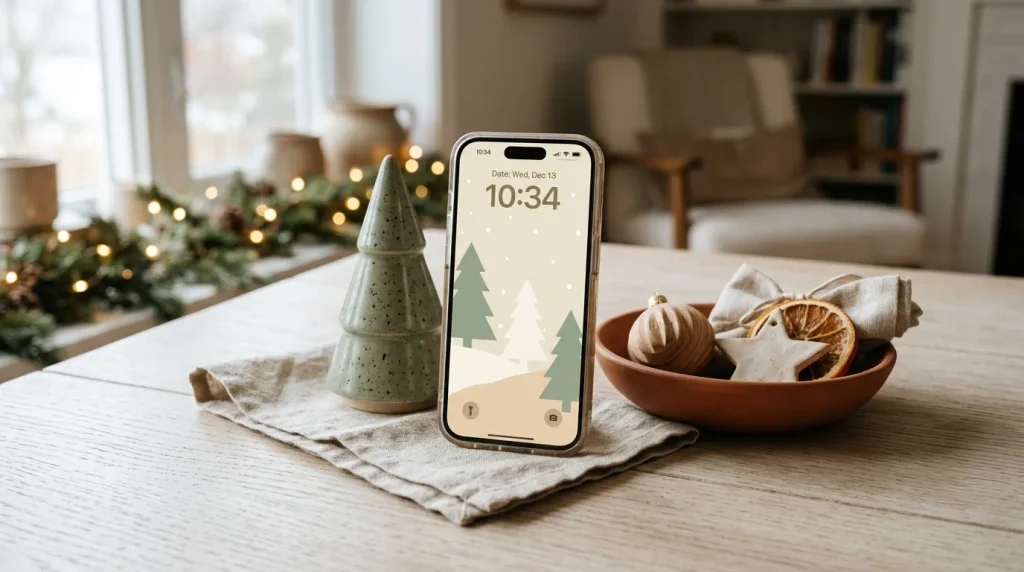
- Simple tree shapes keep the screen clean and modern.
- Muted colors make the design easy to pair with accessories.
- Open backgrounds improve readability for widgets and icons.
- Minimal styling works beautifully beyond the holiday season.
Sometimes the prettiest holiday screen is the one that barely whispers Christmas. A minimalist tree design uses simple evergreen shapes, neutral backgrounds, and restrained details to create a polished seasonal look. Instead of bright ornaments everywhere, choose one or two colors such as sage green and cream, or forest green and beige. This makes the wallpaper feel modern and calming. For people who prefer uncluttered screens, this approach offers festive character without overwhelming the layout. The clean shapes also make it easier to place the clock, widgets, and notifications where they remain visible.
A minimal Christmas tree wallpaper is also a smart choice if you want something that works with your existing phone setup. Neutral colors coordinate easily with clear, tan, white, black, or green cases, so you do not need to buy anything new. That’s why many designers recommend keeping small screens visually restrained when several icons will sit over the image. You can add a subtle star, tiny snowfall, or delicate gold accent for extra holiday charm. The finished look feels fresh, organized, and sophisticated while still giving your phone a distinctly seasonal touch.
Also Read : 21 Christmas Bedding Ideas for a Festive Cozy Bedroom
6. Snow Globe Scene
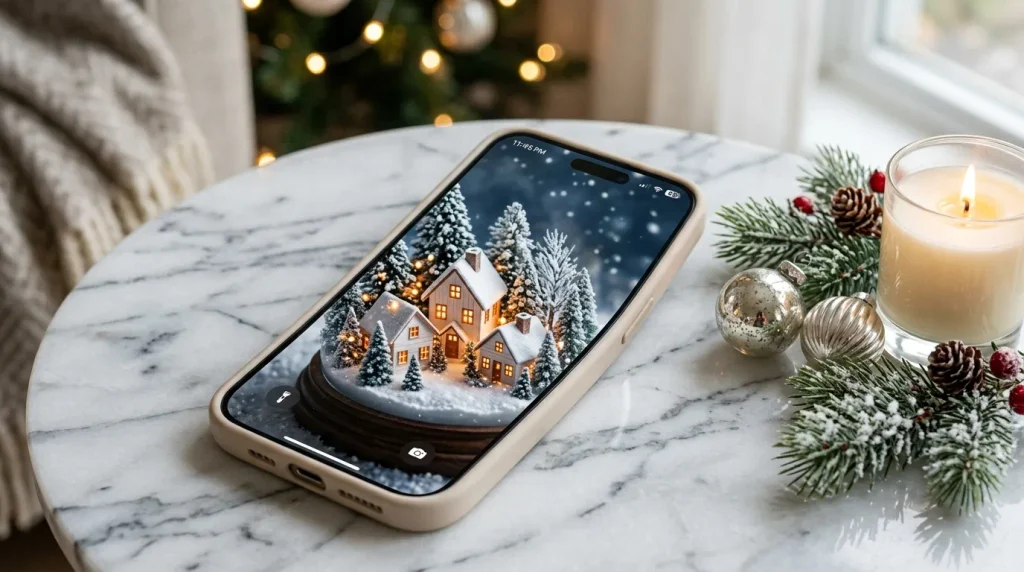
- A snow globe creates instant winter scenery in miniature.
- Soft whites and greens give the screen a peaceful appearance.
- Tiny lights add warmth against the snowy background.
- Centered artwork makes the design easy to recognize at a glance.
A snow globe scene brings the magic of a winter display straight onto your phone. Imagine a tiny village, evergreen trees, warm windows, and delicate snow captured beneath a glass dome. The combination of cool whites with warm golden lights creates beautiful contrast while keeping the overall image peaceful. For Christmas iPhone wallpapers, this style offers plenty of visual detail without requiring loud colors. I’ve noticed that miniature scenes often encourage a second look, which makes them especially satisfying on a lock screen where the artwork can be enjoyed throughout the day.
To keep the design functional, choose a snow globe image with a darker or quieter area around the top portion of the screen. This gives the clock and notifications enough contrast to remain readable. A centered globe works well for a symmetrical look, while a slightly lower placement can leave more breathing room. Pair it with a clear, silver, white, or pale blue case for a cohesive winter setup. The final effect feels like a tiny seasonal keepsake, combining snowy scenery, warm lights, and nostalgic Christmas charm in one compact design.
Also Read : 24 Black Gold Christmas Decorations for a Glam Holiday Look
7. Red Plaid Christmas
- Plaid instantly adds a traditional holiday feel.
- Deep red and green create strong seasonal contrast.
- Cream accents keep the pattern from feeling too heavy.
- A smaller-scale plaid works better behind app icons.
Red plaid brings that classic Christmas feeling without needing elaborate illustrations or busy scenery. The familiar pattern feels warm, traditional, and wonderfully easy to recognize. A mix of deep red, forest green, cream, and tiny gold accents creates a balanced palette that looks especially attractive during December. I’ve noticed that plaid designs are surprisingly versatile because they can feel rustic with wood textures or more polished when paired with gold details. For your phone, choose a pattern with medium-sized checks so the screen remains visually interesting without making icons difficult to distinguish.
A tartan-inspired wallpaper also works beautifully with simple phone accessories. Try a clear case to let the pattern remain the star, or choose a cream, dark green, or burgundy case for a coordinated look. If the plaid feels too bold across the entire display, select a design with a faded center or softer edges. This creates breathing room for widgets and notifications. Among festive phone backgrounds, this option is ideal for anyone who loves traditional Christmas decorating, cozy cabins, warm blankets, and timeless holiday colors that never feel overly complicated or trendy.
8. Pink Peppermint
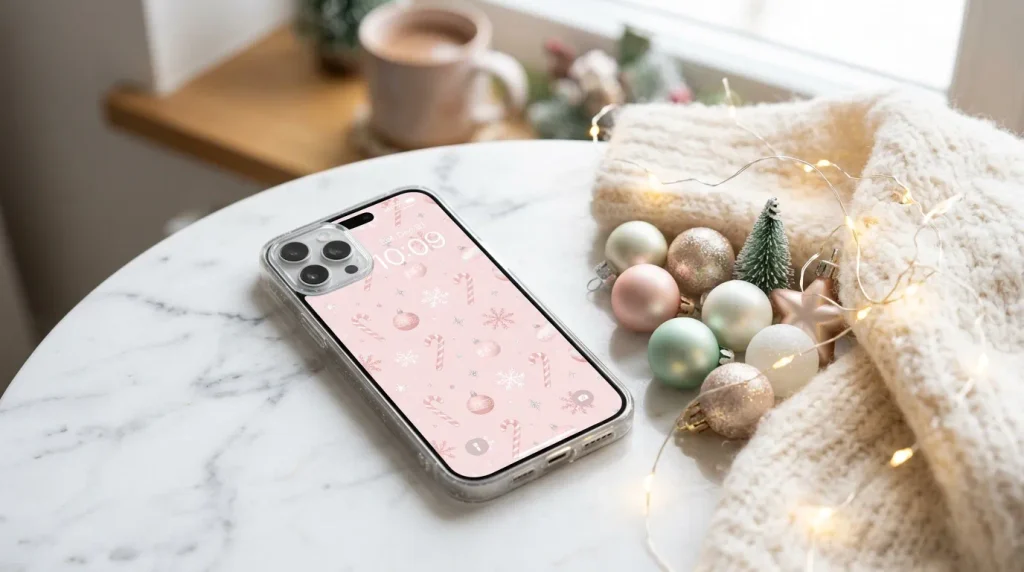
- Blush pink gives traditional peppermint décor a fresh update.
- White details keep the screen bright and airy.
- Silver touches add a subtle festive sparkle.
- This palette suits pastel cases and accessories beautifully.
Pink peppermint is a sweet alternative to traditional red-and-green Christmas designs. Soft blush, creamy white, and tiny silver accents create a lighter palette that feels playful while still looking polished. Candy canes, peppermint swirls, snowflakes, and small stars can be arranged across the background without overwhelming the screen. I’ve seen this color combination work particularly well for anyone who enjoys pastel holiday decorating. The softer contrast also makes the wallpaper feel less intense than a classic red design, which can be helpful when you spend several hours looking at your phone each day.
For an even cleaner result, choose a pale pink background with slightly darker peppermint details rather than a heavily patterned image. This gives your icons enough contrast and keeps the lock screen readable. A white, blush, clear, or silver phone case can complete the look without competing with the artwork. You can also coordinate your widgets with soft neutral tones for a cohesive home screen. This festive style feels cheerful and feminine while remaining modern, making it an easy seasonal update for anyone who wants something different from the usual Christmas color palette.
9. Rustic Christmas Cabin
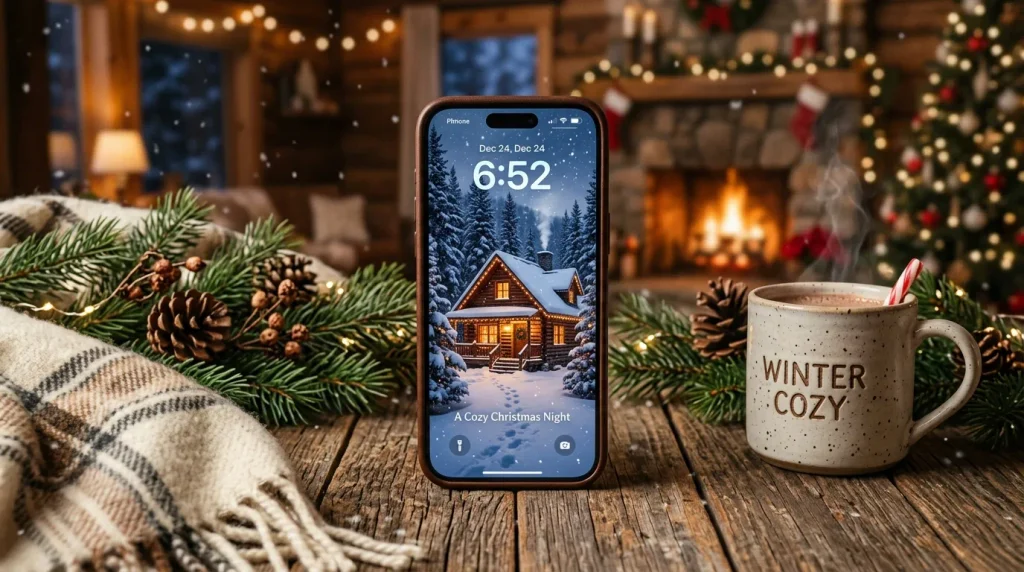
- A glowing cabin creates instant warmth against snowy scenery.
- Wood and evergreen tones give the image rustic character.
- Falling snow adds movement without cluttering the composition.
- Darker edges help bright app icons remain easy to read.
A glowing cabin surrounded by snow creates the kind of winter scene that feels peaceful the moment you see it. Picture dark evergreen trees, soft snowfall, warm windows, and rustic wood textures arranged against a cool blue or snowy-white background. The contrast between the cold outdoors and welcoming cabin makes the image visually rich without needing many decorative elements. For a phone screen, choose artwork with the brightest details concentrated near the lower half. This keeps the upper portion calmer, giving your clock and notifications enough space to remain clear.
Rustic cabin imagery works especially well with winter-inspired accessories and darker phone cases. A deep green, brown, black, or clear case can complement the natural palette while keeping the overall setup understated. If you prefer a brighter home screen, look for a version with more snow and less shadow around the icons. This type of seasonal background is ideal for people who love cozy cabins, forest walks, warm drinks, and traditional winter décor. It transforms an ordinary screen into a small visual escape while keeping the Christmas theme tasteful and inviting.
10. Elegant Gold Ornaments
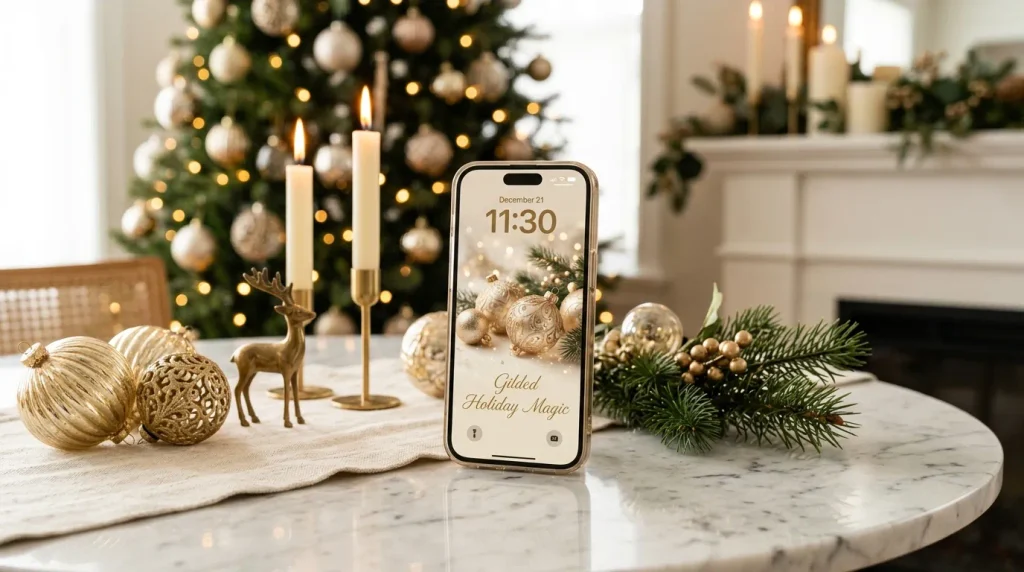
- Champagne and gold tones create an instantly polished look.
- Minimal ornament placement keeps the screen sophisticated.
- Soft cream backgrounds prevent metallic details from feeling harsh.
- This design pairs beautifully with neutral or clear cases.
Gold ornaments give a Christmas screen a polished look without relying on bright colors or playful graphics. Champagne, ivory, warm beige, and soft metallic gold create a sophisticated palette that feels especially beautiful against a simple background. Choose ornaments with delicate highlights rather than heavy sparkle so the image remains easy on the eyes. I’ve noticed that elegant designs like this can transition nicely between different settings, from a casual coffee shop to a formal holiday dinner. The subtle palette also makes it easier to coordinate your wallpaper with jewelry, accessories, and neutral phone cases.
For the cleanest layout, position the ornaments around the edges while leaving an open center for the clock and important notifications. A few evergreen sprigs can add natural texture without taking attention away from the metallic details. If your phone has a warm display setting, the gold tones will look particularly inviting in the evening. Pair the wallpaper with a clear, cream, champagne, or tan case for a finished appearance. This is a lovely choice when you want seasonal decoration that feels elevated, timeless, and sophisticated rather than overly colorful or playful.
11. Cute Christmas Characters
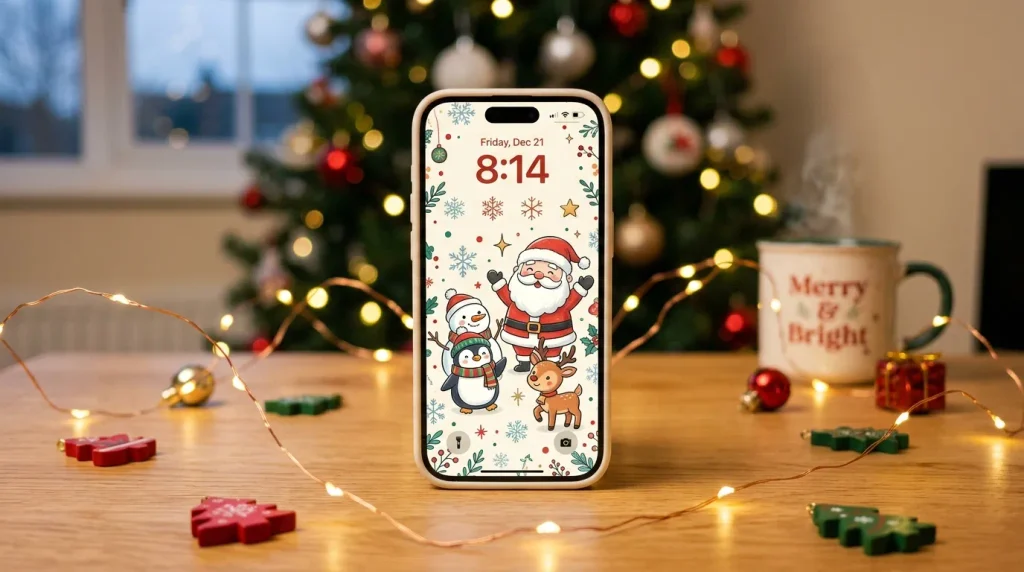
- Friendly characters make the screen feel playful and cheerful.
- A limited palette prevents multiple characters from looking chaotic.
- Small illustrations work better than oversized graphics.
- This style is especially fun for a family-friendly holiday setup.
Cute Christmas characters can make your phone feel instantly cheerful, especially when Santa, reindeer, snowmen, or tiny penguins appear in a simple illustrated style. The trick is keeping the characters small enough that the screen still feels organized. Choose a limited palette of red, green, cream, and soft blue rather than mixing too many competing shades. For families or anyone who enjoys playful holiday décor, this style adds personality without requiring a complicated setup. I’ve noticed that character-based designs often make excellent conversation starters because people naturally stop to look at the tiny details.
A clean illustrated background also helps your home screen remain usable. Look for designs where characters sit toward the bottom or corners, leaving open areas for icons and widgets. If the artwork is already colorful, use a transparent case so the overall appearance does not become too busy. You can also match your lock screen and home screen with related characters for a coordinated pair. Among Christmas iPhone wallpapers, this idea is perfect when you want your device to feel lighthearted, festive, approachable, and full of cheerful holiday personality.
12. Winter Berry Branches
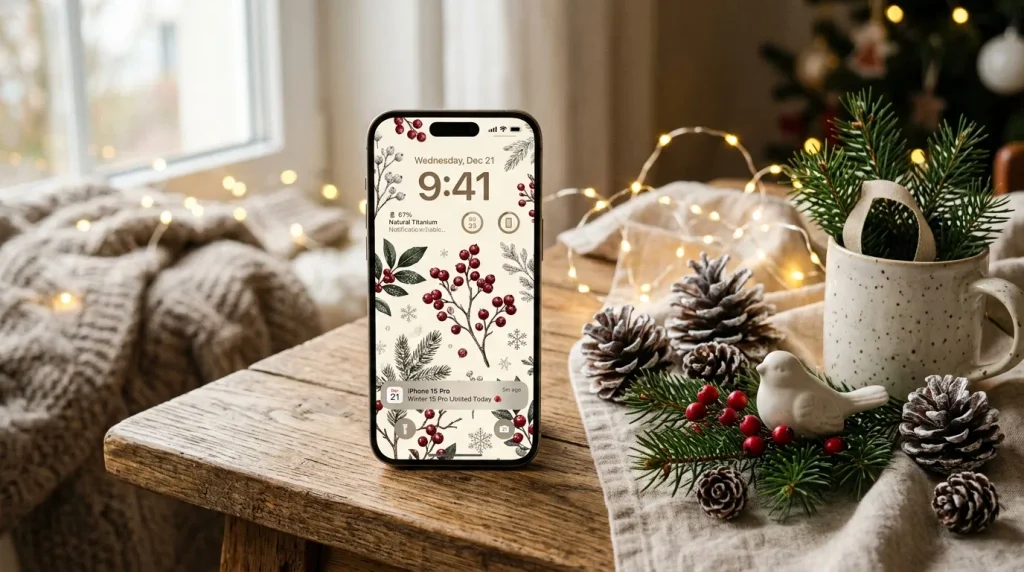
- Red berries add festive color without overwhelming the screen.
- Botanical details create a natural, elegant appearance.
- An ivory background keeps the overall design bright.
- Fine branches leave useful negative space for icons.
Winter berry branches offer a quieter way to bring Christmas color onto your phone. Deep red berries against evergreen leaves and a warm ivory background create a natural palette that feels festive without becoming flashy. Fine branches can frame the edges of the screen while leaving the center relatively open. This arrangement is especially useful when you want decorative detail and practical readability at the same time. In my experience, botanical holiday designs work well for people who prefer natural décor, because they connect the screen with real wreaths, garlands, and winter greenery around the home.
To make the wallpaper easier to use, choose an image with larger areas of soft background between the branches. Those open spaces provide room for app icons and widgets without covering the most attractive details. A cream, forest green, brown, or clear case will complement the botanical palette nicely. You can also choose a matching berry or evergreen lock screen for a coordinated seasonal setup. The finished effect is subtle but unmistakably festive, giving your phone a graceful winter update that feels natural, warm, and appropriate for both everyday use and holiday gatherings.
13. Scandinavian Snowflakes
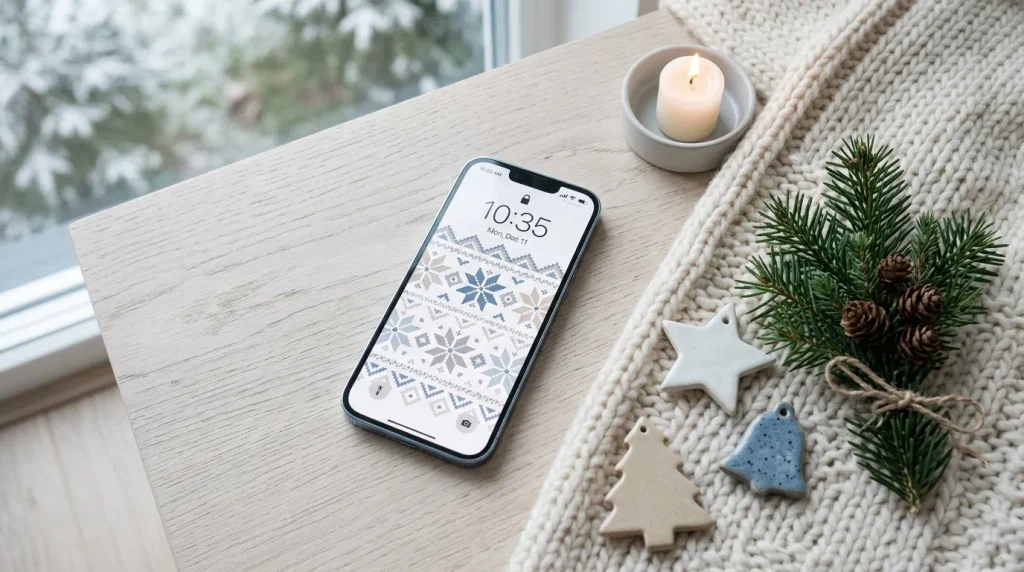
- Simple snowflakes create a crisp winter appearance.
- Muted blue and gray feel calm rather than overly festive.
- Repeated patterns add texture while staying visually organized.
- Light backgrounds work well with darker phone cases.
Scandinavian snowflakes bring a clean, peaceful winter aesthetic to your phone without relying on bright Christmas colors. Think crisp white, muted blue, soft gray, and tiny beige accents arranged in simple geometric patterns. The restrained palette makes the design feel modern and airy, while repeated snowflakes add enough detail to keep the screen interesting. This style works particularly well for anyone who loves minimalist interiors, Nordic décor, or neutral holiday styling. I’ve noticed that cooler winter palettes can also make a screen feel refreshing after months of warm autumn colors and darker seasonal designs.
For everyday usability, choose snowflakes in different sizes with plenty of breathing room between them. A lightly textured background can add depth without competing with app icons or widgets. If your phone case is dark blue, gray, white, or clear, the Scandinavian palette will look naturally coordinated. You can also select a darker version for the lock screen and a lighter pattern for the home screen. The result is a calm seasonal refresh that feels sophisticated, uncluttered, and distinctly wintry while still fitting comfortably into a modern phone setup.
14. Santa Hat Pattern
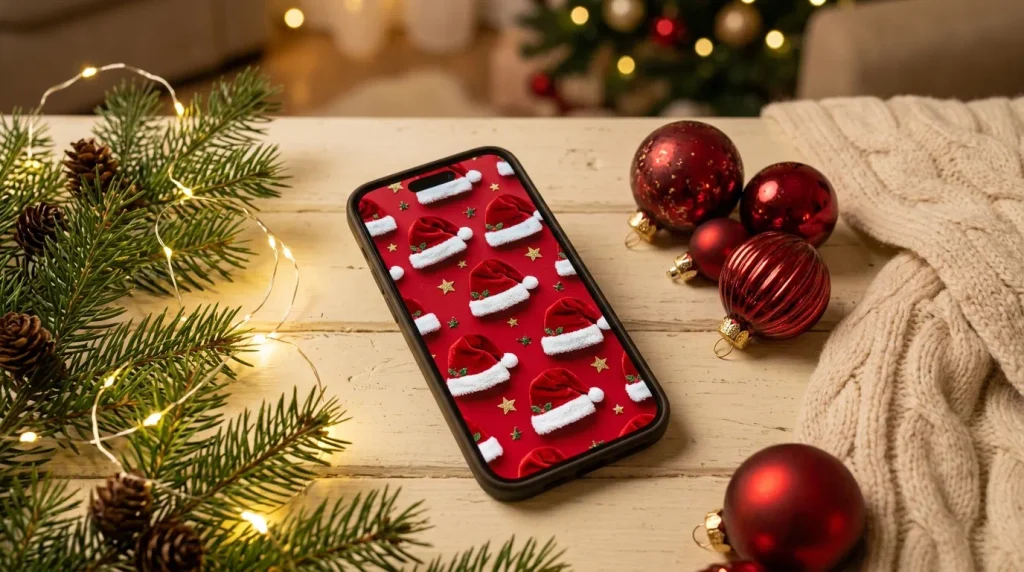
- Santa hats create an unmistakable Christmas theme.
- Rich red provides strong seasonal contrast.
- White trim softens the repeated pattern.
- Small motifs keep the screen playful without becoming overwhelming.
A repeating Santa hat pattern is a simple way to make your phone unmistakably ready for Christmas. Rich red hats with fluffy white trim create immediate holiday recognition, while tiny stars or evergreen accents can add extra detail. The repeated motif feels playful but can still look polished when the illustrations are evenly spaced. For a screen that already contains many apps and widgets, choose smaller hats against a soft cream or pale background. This keeps the design cheerful while preventing the repeated pattern from competing too strongly with everything placed on top.
The beauty of this idea is how easy it is to coordinate with classic holiday accessories. A red, cream, green, or transparent case will complement the wallpaper naturally. If you want a more understated version, choose muted burgundy rather than bright scarlet and keep the surrounding background neutral. This creates a warmer, more sophisticated appearance while preserving the Santa theme. The design works particularly well for anyone who enjoys traditional Christmas decorations and wants their phone to have the same playful energy as stockings, wrapping paper, and festive ornaments around the home.
15. Christmas Movie Glow
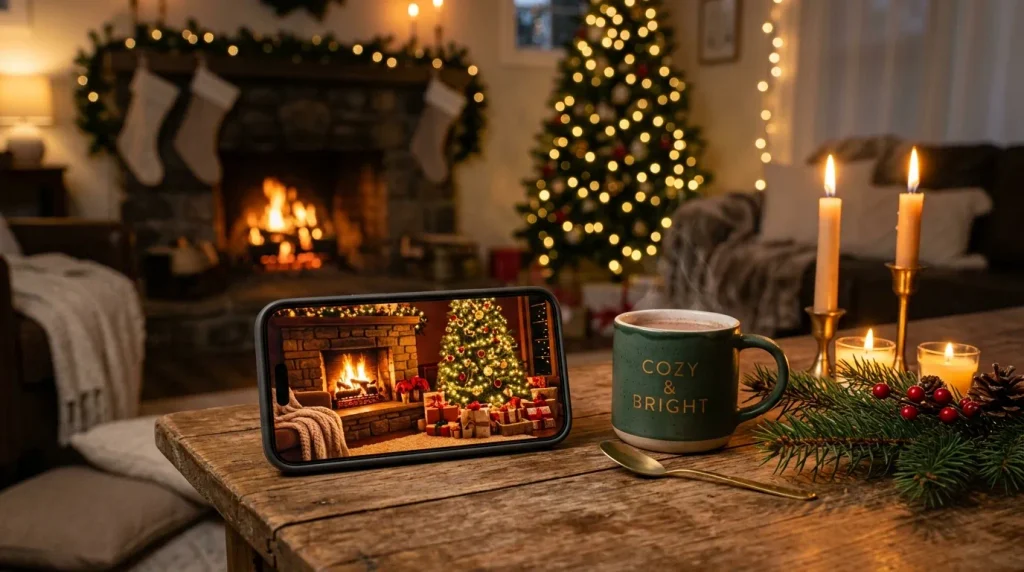
- A glowing fireplace creates immediate warmth and depth.
- Tree lights add soft sparkle without dominating the scene.
- Warm shadows make the image feel intimate and cozy.
- A simple foreground keeps the lock screen readable.
A glowing fireplace, decorated tree, and softly lit living room can make your phone feel like a cozy Christmas movie scene. Warm amber lighting, deep green branches, cream blankets, and subtle red decorations create a rich palette that feels inviting without looking artificial. This type of wallpaper works particularly well when you want an atmosphere rather than a single Christmas symbol. I’ve noticed that scene-based backgrounds can make a phone feel more personal because they suggest a familiar place to relax, especially during quiet evenings when the warm colors are most noticeable.
For a practical screen, choose an image where the fireplace or tree sits lower in the composition, leaving a darker or quieter area near the top for the clock. Avoid scenes with too many tiny objects because they can disappear behind notifications and icons. A dark brown, forest green, cream, or clear case can complement the cozy palette. This design is especially appealing for anyone who loves holiday movie nights, soft lighting, decorated living rooms, and that comfortable feeling of settling in with a warm drink while Christmas music plays nearby.
16. Icy Blue Christmas
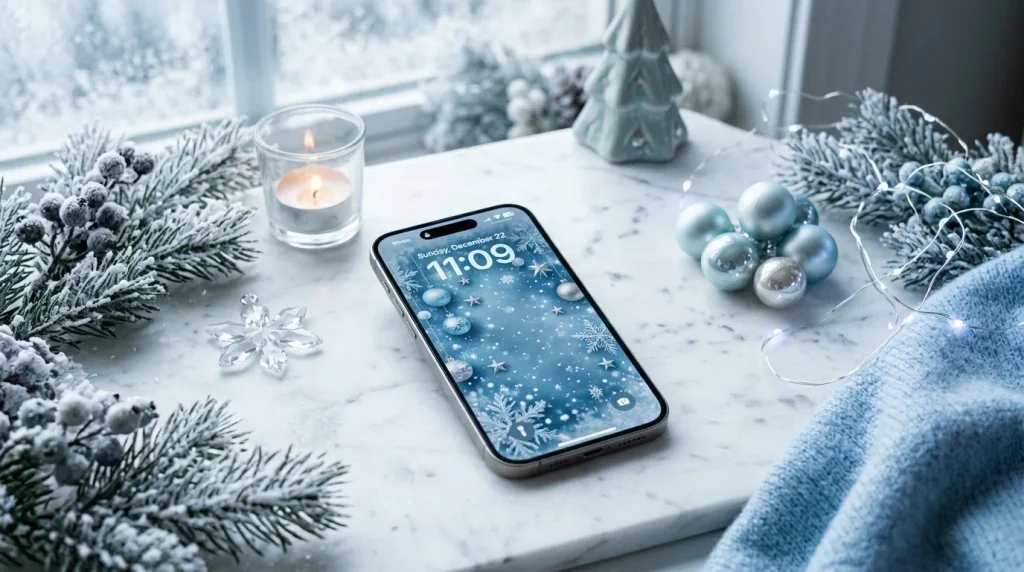
- Icy blue creates a refreshing alternative to traditional Christmas colors.
- Silver accents add sparkle without making the design too bright.
- Frosted details create a realistic winter texture.
- Pale backgrounds keep the overall screen feeling spacious.
Icy blue creates a beautiful winter alternative when traditional red and green feel too bold. Pale blue, crisp white, silver, and frosted gray can create a screen that feels fresh, elegant, and distinctly seasonal. Snowflakes, icy branches, crystal-like details, and soft gradients work particularly well together. The cooler palette can also make bright notification badges stand out more clearly. For anyone who prefers winter scenery over traditional Christmas illustrations, this style offers a sophisticated way to bring snowy atmosphere to the phone without making the screen feel overly decorative.
For the best visual balance, choose a wallpaper with varying shades of blue rather than one flat color. A subtle gradient from pale blue to white can add depth while keeping the background calm behind icons. Silver or clear accessories will complement the icy palette, while a white case creates an especially clean finish. If your home screen feels too bright, try a deeper navy version with silver snowflakes instead. The result can range from soft and dreamy to crisp and modern, making this one of the most versatile winter-inspired phone background ideas.
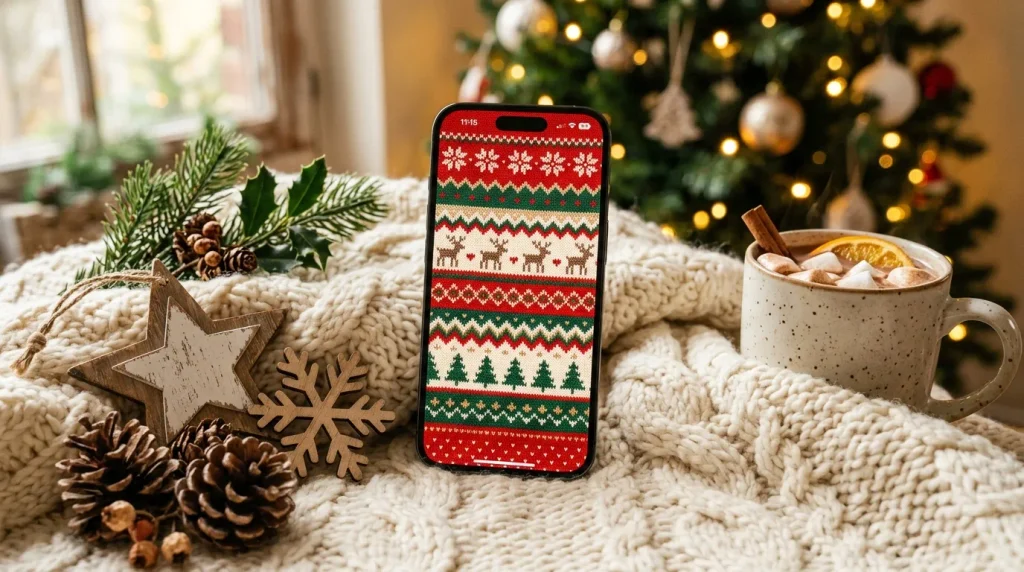
17. Christmas Sweater Texture
- Knitted patterns make the screen feel warm and tactile.
- Traditional colors create an instantly recognizable holiday look.
- Small geometric motifs add interest without needing illustrations.
- The texture works beautifully with cozy neutral accessories.
A Christmas sweater texture gives your phone the cozy appearance of a favorite winter knit. Chunky patterns, tiny snowflakes, geometric motifs, and soft woven details can create visual warmth even though the screen itself is completely flat. Traditional combinations of red, cream, forest green, and white work beautifully here, but muted versions can make the design feel more modern. In my experience, textured patterns are particularly satisfying during colder months because they visually connect with blankets, scarves, sweaters, and other comfortable materials already surrounding you.
Choose a wallpaper with a medium-scale knit pattern so the details remain recognizable without becoming distracting. A slightly darker background can help light-colored app icons stand out, while a cream version offers a softer appearance for bright screens. Pair the design with a knitted or matte phone case if you enjoy matching textures, or keep the case clear for a simpler finish. This festive background works well for both lock and home screens, giving your phone a warm seasonal character that feels handmade, nostalgic, and comfortable throughout the holiday season.
18. Festive Holly Leaves
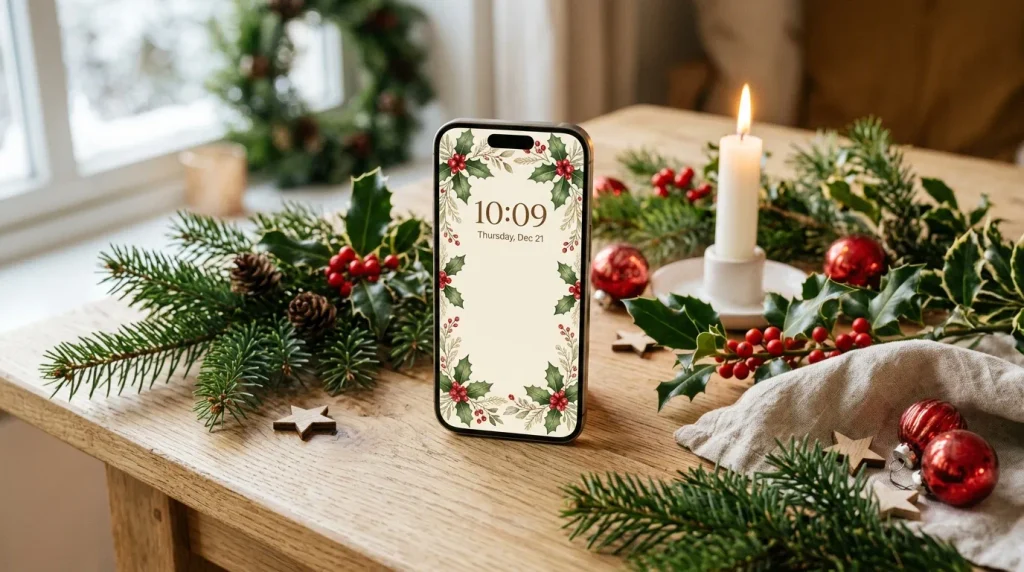
- Holly leaves add classic Christmas detail in a refined way.
- Red berries provide small but striking color accents.
- Edge placement leaves plenty of space for widgets.
- Cream backgrounds make the botanical design feel lighter.
Holly leaves and bright red berries create a timeless Christmas look with very little visual clutter. The deep green leaves provide natural texture, while glossy berries add small bursts of traditional holiday color. Arranging the branches around the edges is especially useful because it frames the screen without covering the center. That makes this idea attractive and practical at the same time. Holly also connects naturally with wreaths, garlands, and table decorations, so the wallpaper can feel like part of a larger holiday decorating theme rather than an isolated seasonal graphic.
For a polished result, look for detailed leaves with gentle shadows instead of overly cartoon-like illustrations. A warm cream, ivory, or very pale green background can make the botanical elements feel elegant and spacious. Keep the center relatively empty so your clock, widgets, and icons remain easy to read. A clear, green, cream, or burgundy case will complete the palette naturally. This type of holiday phone background is ideal when you want something traditional but understated, giving your screen a graceful seasonal touch that can remain appealing from early December through Christmas Day.
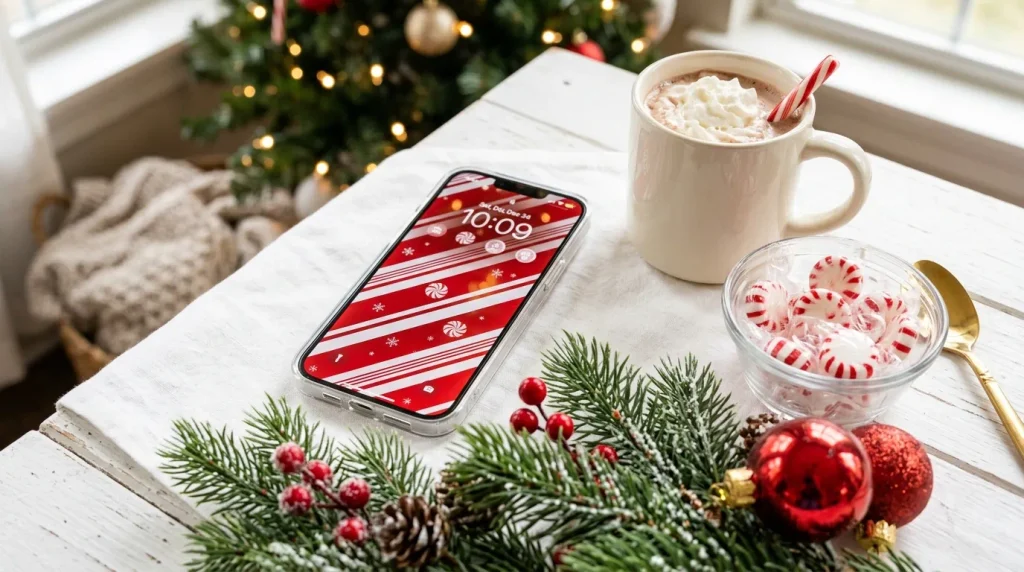
19. Candy Cane Stripes
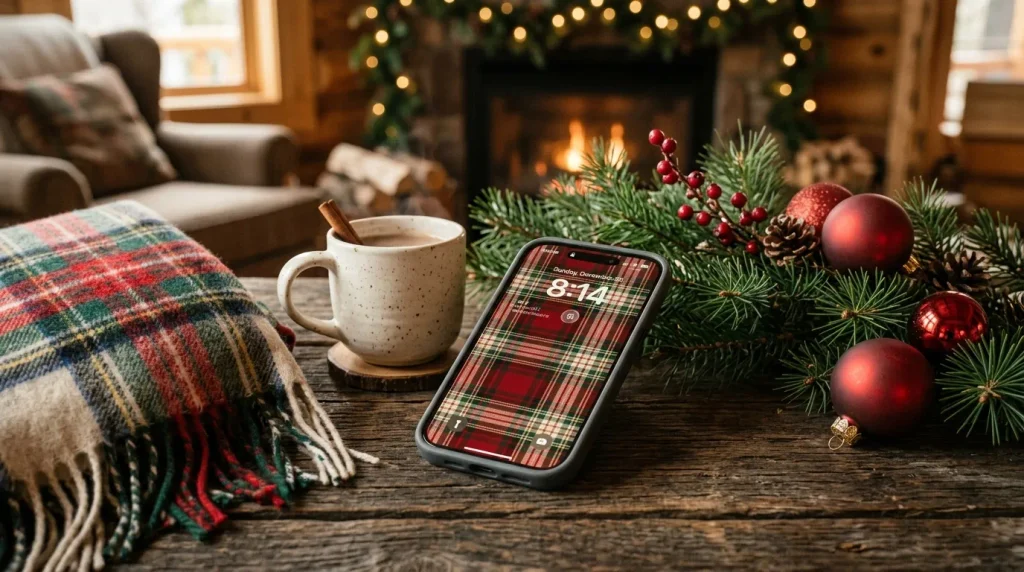
- Bold stripes create instant visual impact.
- Red and white keep the Christmas palette classic.
- Simple patterns make icons easier to organize.
- Tiny snowflakes add seasonal detail without clutter.
Candy cane stripes make a phone screen look festive in seconds. The bold red-and-white pattern is instantly recognizable, cheerful, and easy to coordinate with traditional Christmas décor. For a more polished appearance, choose slightly softened reds rather than extremely bright scarlet, then add small peppermint or snowflake details for texture. This design is especially useful when you want something graphic instead of a detailed scene. I’ve noticed that strong repeating patterns photograph beautifully in flat-lay Pinterest images because the colors remain clear and recognizable even when the phone appears smaller in the composition.
The main trick is choosing the right stripe scale. Very wide stripes can make icons feel crowded, while extremely thin lines may become visually noisy. Medium-width stripes usually provide the best balance for a home screen. You can also select diagonal stripes for a playful look or vertical stripes for a cleaner appearance. Pair the wallpaper with a white, red, clear, or silver case to keep the setup coordinated. Among festive phone backgrounds, this option is simple, recognizable, and especially appealing when you want maximum Christmas impact with minimal visual effort.
20. Snowy Evergreen Forest
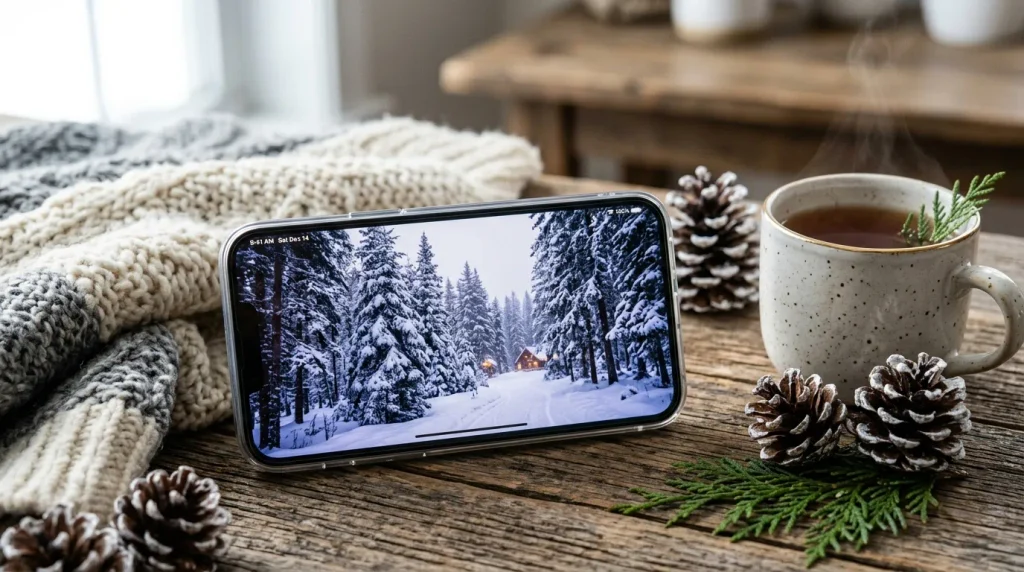
- Snow-covered trees create a peaceful winter atmosphere.
- Cool whites and greens feel natural and calming.
- Distant warm lights add contrast and depth.
- Vertical trees complement the tall shape of an iPhone screen.
A snowy evergreen forest can turn your phone into a quiet winter landscape. Tall pine trees, fresh snow, cool blue shadows, and tiny warm lights create depth while maintaining a peaceful appearance. The vertical shape of the trees naturally suits an iPhone display, making the composition feel intentional rather than cropped. This style is ideal for anyone who prefers scenery over illustrated Christmas characters. The combination of cool outdoor tones and distant warm lights also creates contrast that keeps the image visually interesting without requiring bright ornaments or busy holiday graphics.
When choosing a forest scene, look for an image with a clear path, open snowy area, or darker tree line near the top. This gives your clock and notifications enough contrast to remain readable. A dark green, white, brown, or transparent case can complement the natural palette. If you want more Christmas character, choose a forest with tiny glowing lights or a distant cabin rather than adding several decorative elements. The finished screen feels peaceful, seasonal, and slightly magical, making it a lovely choice for winter mornings, quiet evenings, and everyday December routines.
21. Gingerbread Cookies
- Gingerbread shapes add a playful homemade feeling.
- White icing keeps the warm brown palette visually balanced.
- Small red and green details reinforce the Christmas theme.
- A warm background makes the design feel especially inviting.
Gingerbread cookies bring a deliciously cozy touch to a Christmas phone screen. Brown cookie shapes decorated with white icing, tiny red details, and green sprinkles create a warm palette that feels handmade and nostalgic. Stars, trees, candy canes, and snowflakes can make the pattern more varied without losing its simple theme. This design works especially well for people who enjoy holiday baking or traditional Christmas kitchens. I’ve noticed that food-inspired seasonal graphics often feel more personal because they connect the screen with familiar smells, recipes, gatherings, and little traditions people repeat every December.
For a cleaner home screen, choose cookie illustrations against a cream or warm beige background rather than a photograph filled with baking ingredients. This gives app icons more visual space while keeping the playful theme intact. A brown, cream, red, or transparent case will complement the palette naturally. You can also choose a more realistic cookie texture if you prefer a sophisticated look, or simple illustrated shapes for something cheerful. The result is a warm seasonal background that feels charming, approachable, and perfect for anyone who wants their phone to reflect the sweeter side of Christmas.
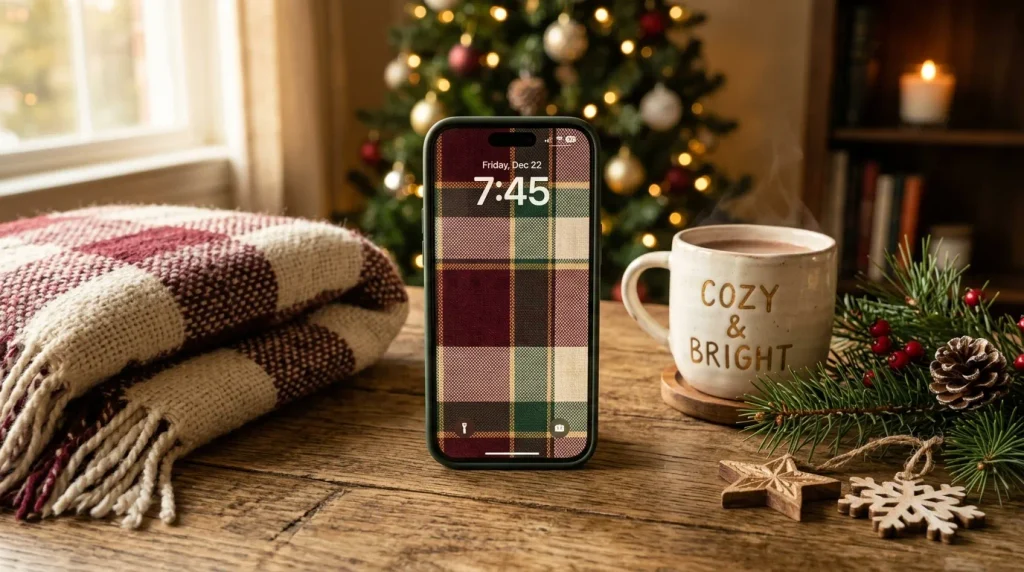
22. Cozy Christmas Plaid
- Burgundy and forest green create a rich holiday palette.
- Woven texture makes the screen feel warm and inviting.
- Muted gold adds a subtle festive accent.
- Smaller checks keep the background practical for icons.
A cozy plaid pattern is a timeless way to finish your holiday phone setup with warmth and character. Deep burgundy, forest green, cream, and muted gold create a classic palette that feels especially inviting during December. Unlike highly detailed illustrations, plaid gives you a strong visual effect through color and texture alone. That makes it easy to use behind app icons and widgets. For anyone who loves traditional Christmas decorating, this pattern can echo blankets, stockings, ribbons, and table linens, creating a subtle connection between your phone and the rest of your seasonal surroundings.
For the most balanced screen, choose a woven pattern with medium-sized checks and slightly softened colors. Extremely busy plaid can compete with icons, so a design with gentle texture and clear color blocks usually works better. A cream, burgundy, green, brown, or transparent case can complete the look. You can also use a darker version for the lock screen and a lighter plaid for the home screen. This simple change gives your phone a coordinated holiday appearance that feels cozy, practical, and classic without relying on excessive decorations or complicated imagery.
Conclusion
A festive phone screen is a small detail, but it can add a surprising amount of holiday charm to your everyday routine. These Christmas iPhone wallpapers offer plenty of ways to create a look that feels cozy, colorful, elegant, or playful. Choose the design that makes you smile whenever you check your phone, then save this post on Pinterest so you can revisit your favorites later. Try one idea today, experiment with another tomorrow, and share this collection with someone who loves seasonal inspiration. I’ve seen how simple visual changes can make ordinary moments feel wonderfully festive.